GHL themes that put a fresh coat on the whole app
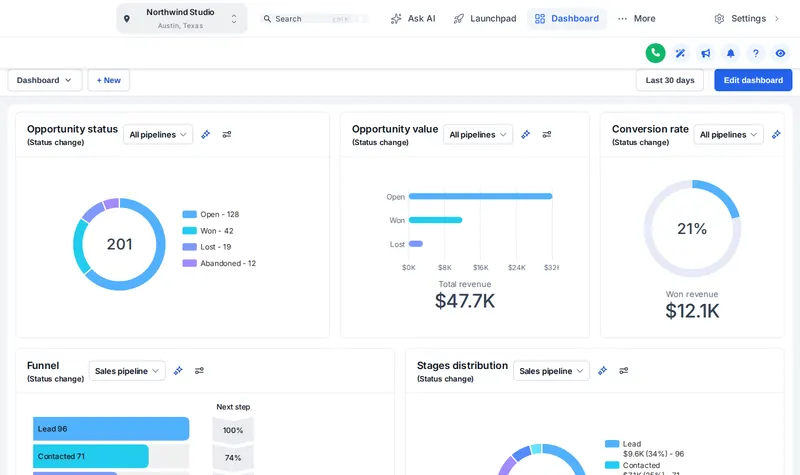
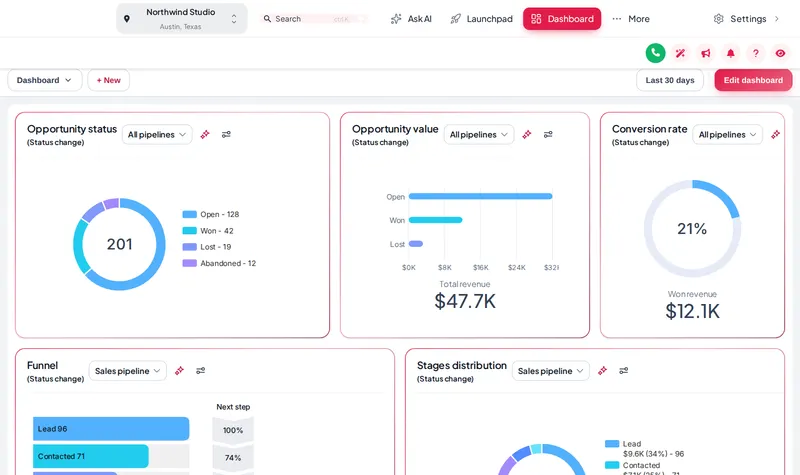
A GHL theme restyles all of GoHighLevel at once: 27 themes, 11 UI kits and dark mode, with the stock blues remapped to your wash colours. No GHL custom CSS to write; pick, preview and save.
All 27 themes at a glance
Sidebar colour on the left of each chip, accent on the right. Outlined chips are the three featured on this site.
- Midnight EmberSidebar
- Arctic CleanTop bar
- Ocean GlassSidebar
- Forest FinanceSidebar
- Neon NightsSidebar
- Mono StudioTop bar
- Sunset CoralSidebar
- Royal Navy & GoldSidebar
- Lavender DreamSidebar
- Slate CorporateSidebar
- AuroraSidebar
- Desert SandTop bar
- Midnight SkySidebar
- Editorial StudioSidebar
- Cinematic CitySidebar
- Care DeskSidebar
- Prism ProSidebar
- Pastel MeshTop bar
- Alpine GlassSidebar
- Creative AgencyTop bar
- Golden HourSidebar
- Deep SpaceSidebar
- Cyber LimeSidebar
- Holo PearlSidebar
- Graphite ProDark
- Obsidian OLEDDark
- Midnight MintDark
Spray a theme on a live dashboard
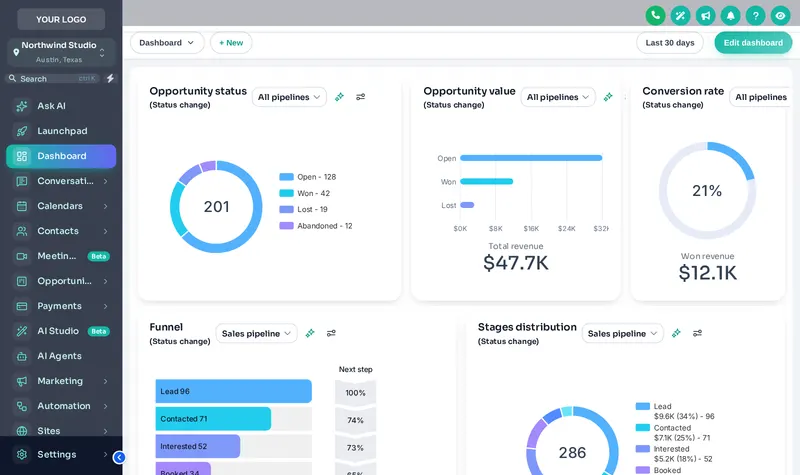
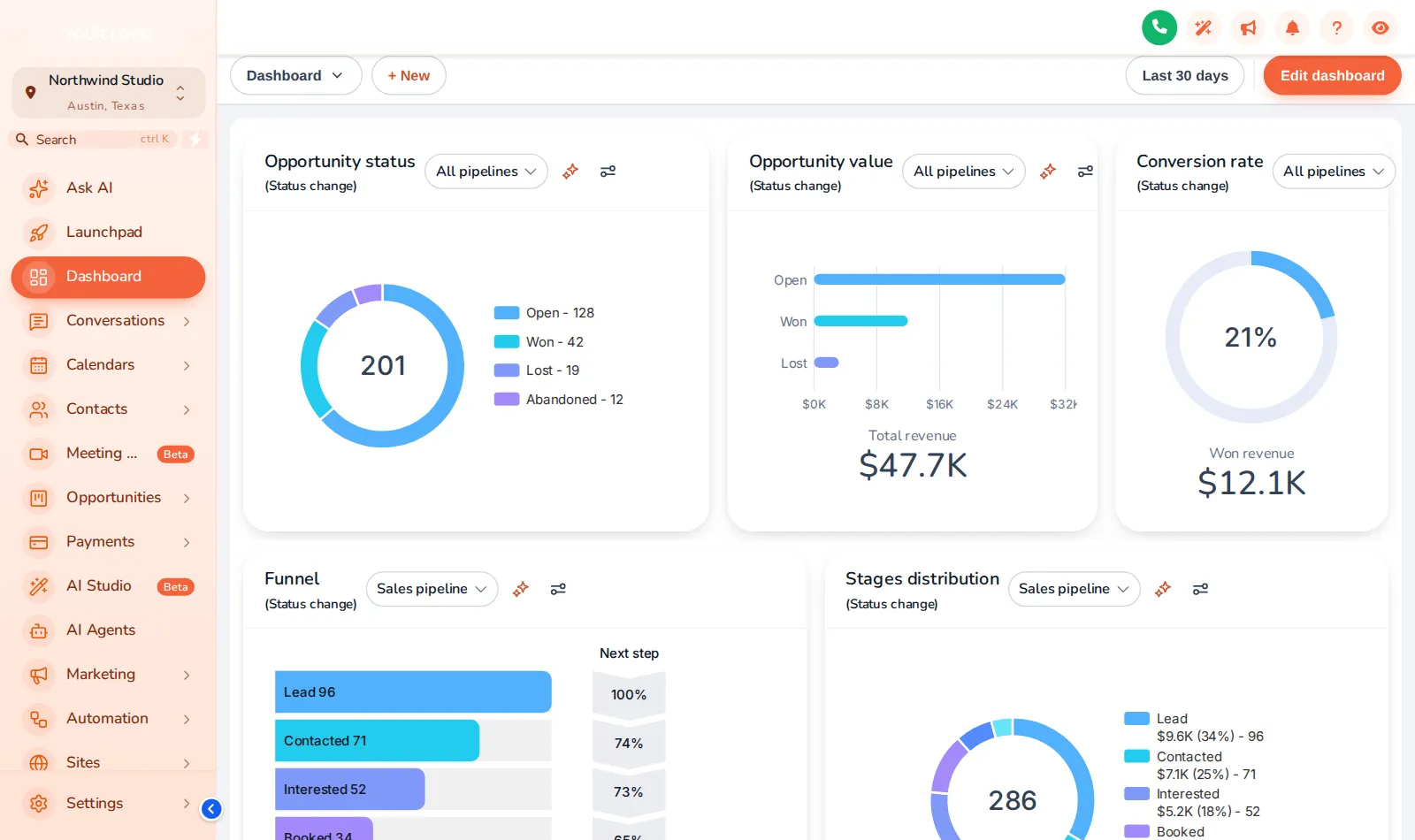
Start with Aurora, then try Creative Agency and Arctic Clean. Switch to the agency view to see the agency-level look.
Pulling into the bay…
Now showingAuroraThe real customizer engine restyling a sample GoHighLevel dashboard. Click inside it: the menu, the collapse button and the Save contact modal all work.
What a theme actually covers
A GoHighLevel theme is five layers applied together: a colour remap, sidebar and header, a UI kit, type and radius, and an optional dark palette. Change any layer without touching the others.
- 01
Colour remap
GoHighLevel hard-codes its blue in hundreds of places. The remap swaps every one for your wash red, blue or green, so nothing gives the stock look away.
- 02
Sidebar and header
Left sidebar, right sidebar or top bar (5 themes start with a top bar), with your logo and background.
- 03
UI kit
11 kits restyle cards, buttons, inputs, tables, tabs and modals in one pick, from Soft Shadow to Rounded Pill.
- 04
Type, radius, shadow
A Google font, how round the corners are and how deep the shadows go. The difference between configured and designed.
- 05
Dark mode
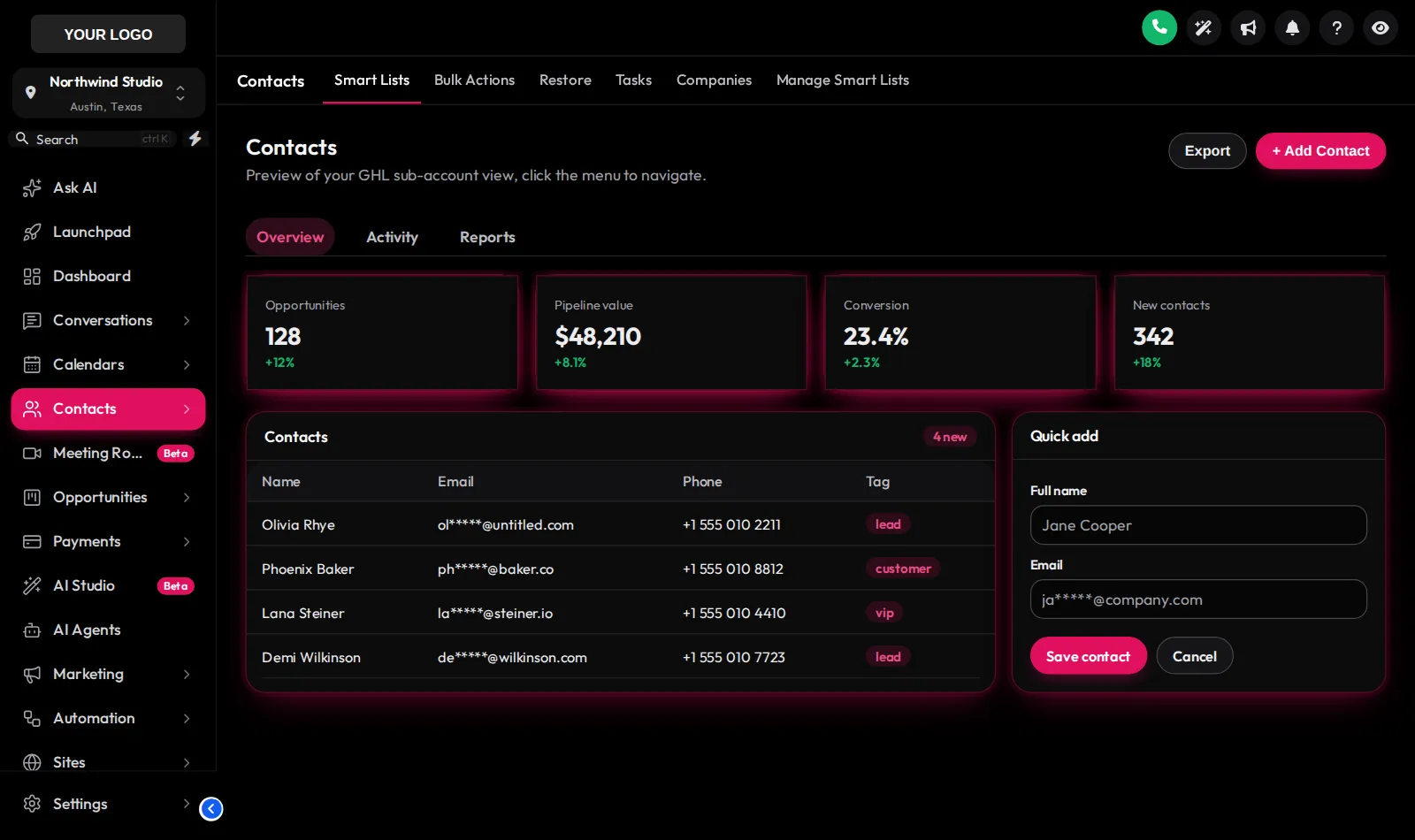
3 dark themes with their own surface, border and text palette for early opens and late closes.
Dark mode for the late close
Included in every package. Compare the 3 dark themes against a light one on the same contacts page.
Pulling into the bay…
Now showingObsidian OLEDDark themes switch GoHighLevel pages to a dark palette for surfaces, borders and text. Compare them with a light theme on the same contacts page.
11 kits, one click each
- Soft Shadow
- Bordered Flat
- Elevated
- Glass
- Accent Top
- Side Accent
- Brutalist
- Studio Gradient
- Halo Glow
- Crisp Highlight
- Rounded Pill
Theme it in four steps
Pick a theme
Open Themes in your account and choose one of the 27. Each one previews on a live copy of GoHighLevel.
Set logo, colours and UI kit
Upload your logo, set your brand colour so the remap replaces GoHighLevel blue, and pick one of the 11 UI kits.
Decide on dark mode
Switch to a dark theme or set the dark palette, then preview it on the contacts and dashboard pages.
Install once, edit forever
Paste the one install line into Agency Settings, Company, White Label, Custom JS. Later edits go live when you save.
Next stop: a matching custom login page, also in every package, or the dashboard designer.
GHL theme questions
A GHL theme is a complete visual style for the GoHighLevel app: sidebar, header, page background, type, corner radius, a UI kit and a matching login page. The GHL Customizer includes 27 of them, and every one can be changed.
No. The editor generates the custom CSS and JavaScript for you. You paste one install line into your agency’s Custom JS setting and the editor handles the rest every time you save.
Yes. Dark mode and all 27 themes and 11 UI kits are in Rinse, Shine, Ceramic Coat. 3 of the themes are dark by design.
A UI kit is a set of styles for cards, buttons, inputs, tables, tabs and modals. Picking one, such as Rounded Pill or Glass, restyles all of those at once. There are 11 kits.
Yes. Themes are a starting point. Set your own primary colour, sidebar colours, font and radius and the preview updates as you go.
The colour remap replaces the blues GoHighLevel hard-codes across its pages with your colour. A few screens that GoHighLevel loads from another domain, such as parts of Location Settings, cannot be styled by any outside CSS and keep the stock look.
Yes. It is installed at agency level, so every sub-account under that agency loads it. The agency view can use the same theme or its own.
Seconds. Pick a different theme in the editor and save; every sub-account shows it on its next page load with no re-install.
Every station in the tunnel
GoHighLevel and HighLevel are trademarks of HighLevel, Inc. We are an independent team and are not affiliated with, endorsed by or sponsored by HighLevel, Inc. Your theme is installed through GoHighLevel’s own Custom CSS and Custom JS agency settings, and your GoHighLevel subscription is billed by HighLevel separately.