A GoHighLevel custom login page that feels like pulling into the bay
A GoHighLevel custom login page is the first thing your team and wash clients see. Pick one of 16 animated designs; it covers sign-in, two-factor code and password reset, in every package from $137.

GoHighLevel allows custom CSS on the agency’s white-label login page. The customizer turns that one CSS slot into a full animated design that follows your brand colour, and you switch designs from the editor without touching code again.
16 designs, three screens each
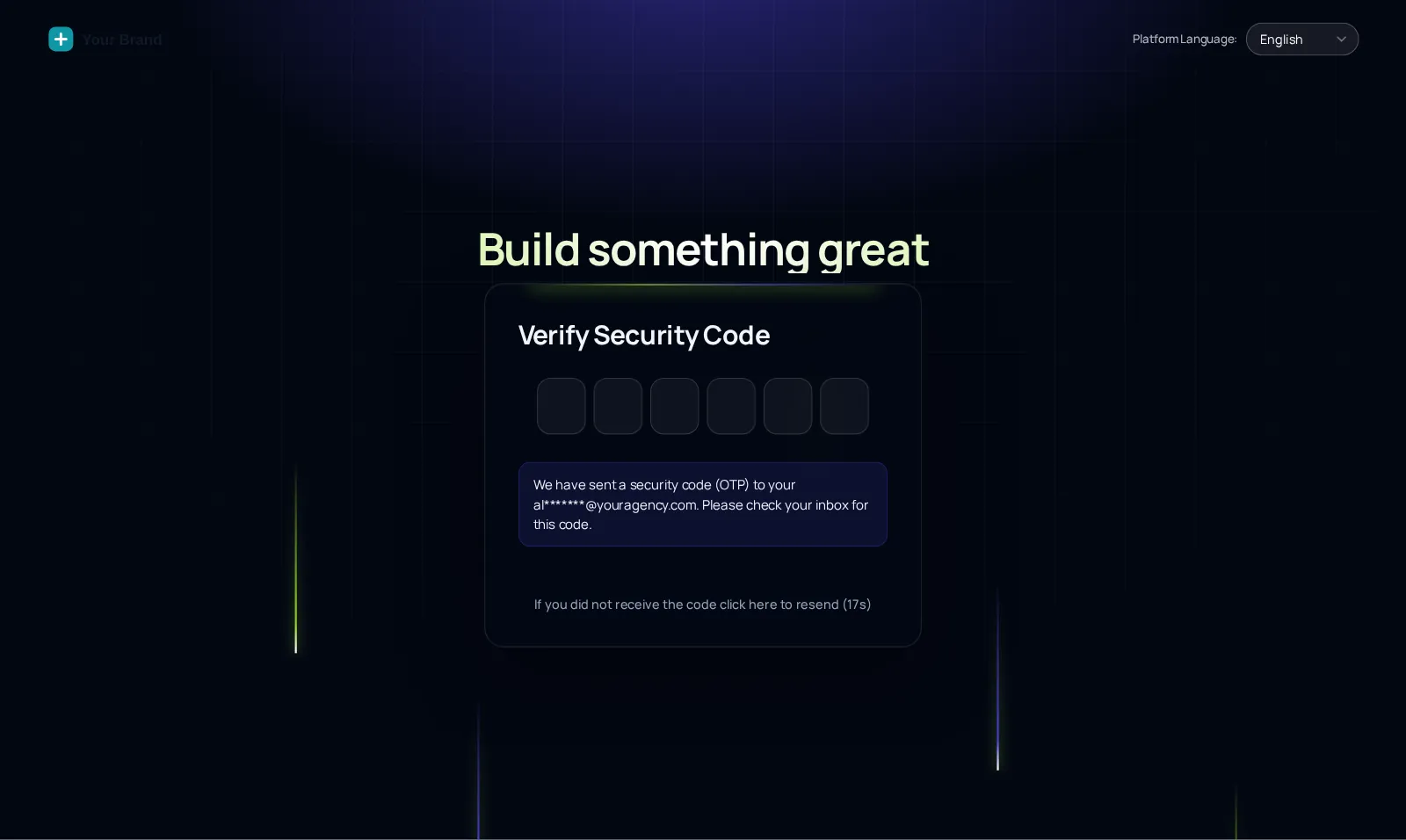
Starts on Light beams. Switch the screen chip to see two-factor and password reset in the same design.
Pulling into the bay…
Now showingLight beamsThe same CSS that ships to GoHighLevel, applied to a copy of the real GoHighLevel login markup. Switch screens to see the two-factor and password reset steps.
Consistent from sign-in to reset

Dark designs (8)
- Aurora
- Cinematic
- Midnight stars
- Neon grid
- Prism ring
- Frosted photo
- Orbit
- Light beams
Light designs (8)
- Split hero
- Editorial
- Gradient mesh
- Ocean waves
- Minimal glow
- Photo wall
- Sunrise hills
- Holographic
Live in three steps
Pick a login design
Choose one of the 16 animated designs in your account and preview it on the sign-in, two-factor and password reset screens.
Add your logo and colours
The design follows your theme’s brand colour by default; upload your logo and adjust the headline.
Add the login CSS line
Paste the one CSS line into your GoHighLevel white-label login settings, alongside the main install line.
The login design pairs with your GHL theme and UI kit. Both are in every package.
Custom login page questions
Yes. GoHighLevel lets agencies add custom CSS to the white-label login page, and the GHL Customizer uses that to apply one of 16 animated login designs across sign-in, two-factor code and password reset.
All of them. Every login design is in Rinse ($137), Shine and Ceramic Coat.
The login design styles whatever login URL your agency uses. A branded domain such as app.yourwashbrand.com is set up in GoHighLevel itself and makes the white label complete.
No. It only restyles the screens. Two-factor and password reset work exactly as GoHighLevel built them; you can see both screens in the preview.
They are lightweight browser animations sized for a single login screen. If a team member prefers something calmer, pick one of the minimal designs. Preview a design on the phone toggle above to judge it on smaller hardware too.
With one CSS line added to your GoHighLevel white-label settings, in addition to the main install line in Custom JS. After that, changing designs is just save in the editor.
Yes. Each design takes your brand colour and logo, so a red-and-black wash keeps red and black on the login screen.
Everyone who signs in through your agency’s white-label login URL sees the design, so wash clients log in to your brand.
Every station in the tunnel
GoHighLevel and HighLevel are trademarks of HighLevel, Inc. We are an independent team and are not affiliated with, endorsed by or sponsored by HighLevel, Inc. Your theme is installed through GoHighLevel’s own Custom CSS and Custom JS agency settings, and your GoHighLevel subscription is billed by HighLevel separately.